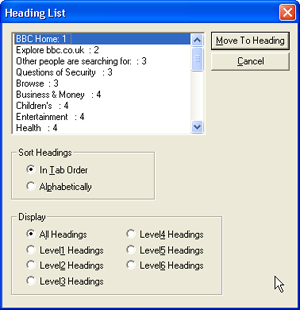
Screenshot: sitepoint.com
Trenton Moss gives you 7 tips to improve a site’s usability for screen reader users. (More tips can be found in the comments of his article.)
“We’ve explored a number of relatively simple, painless steps that can be taken to improve a site’s usability for screen reader users. Fortunately, nearly all of them improve usability for all Web users, so everyone benefits! Make these changes to your sites, and your users will thank you.
(…)
Simply ensuring that your Website is accessible to screen reader users is, unfortunately, not enough to guarantee that these users can find what they’re looking for in a reasonably quick and efficient manner. Even if your site is accessible to screen reader users, its usability could be so poor that they needn’t have bothered stooping by in the first place.
Fortunately, there are plenty of simple-to-implement guidelines that you can follow. The seven easy tips below will drastically improve a site’s usability for screen reader users, as well as all other visitors:
- Use Descriptive Headings
- Provide Information in Lists
- Write Descriptive Link Text
- Employ Logical Linearization
- Apply Short, Succinct ALT Text
- Write Short, Front-loaded Paragraphs
- Write Descriptive Page Titles
”
Internetverweis
sitepoint.com: Seven Screen Reader Usability Tips
